Enrolling in a course
Completion requirements
Enrolling in a course
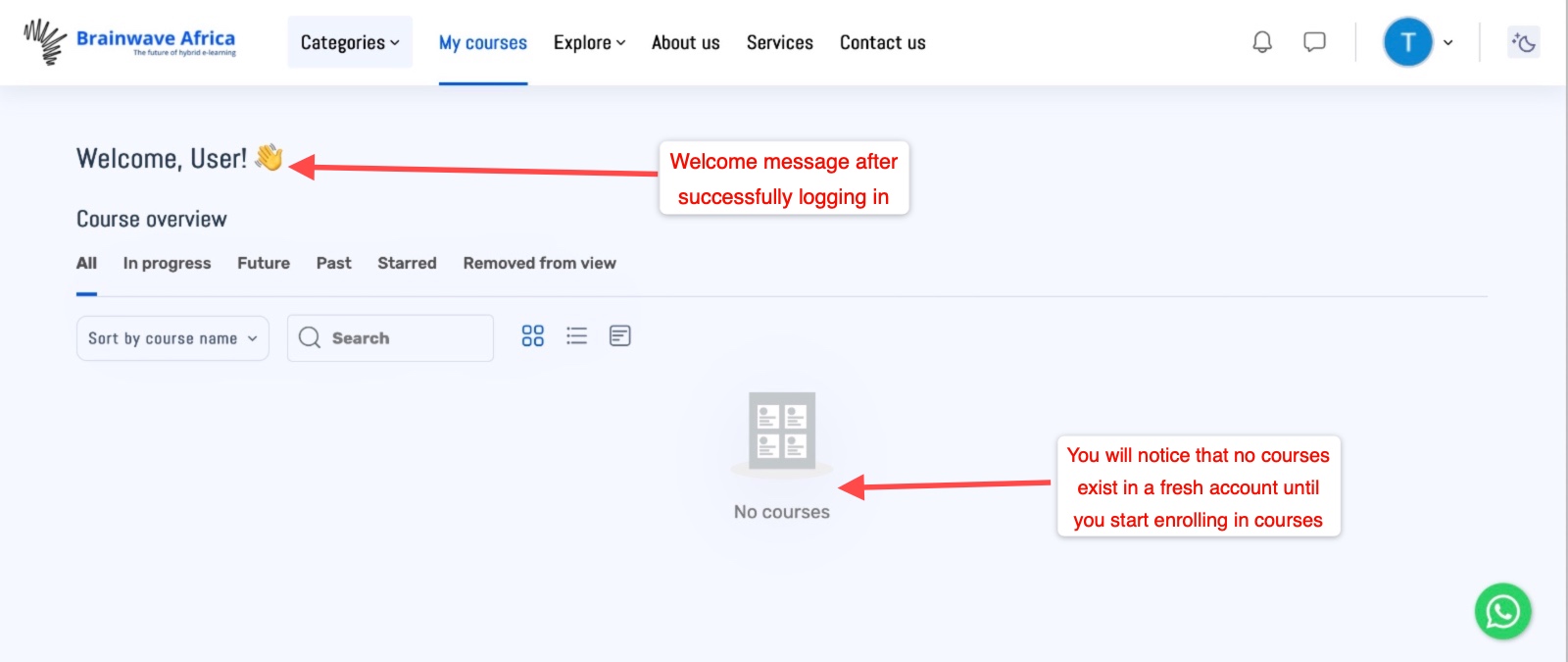
- The My courses page will always automatically load as your default page after successfully logging or signing in. This page will always be the default and once you enrol for a course or courses of your choice from time to time it will be your central point for courses you have enrolled in.
- For first time users or those with newly created accounts, you will notice that you have no courses visible and hence you need to browse or search for any course of choice and enrol in one.
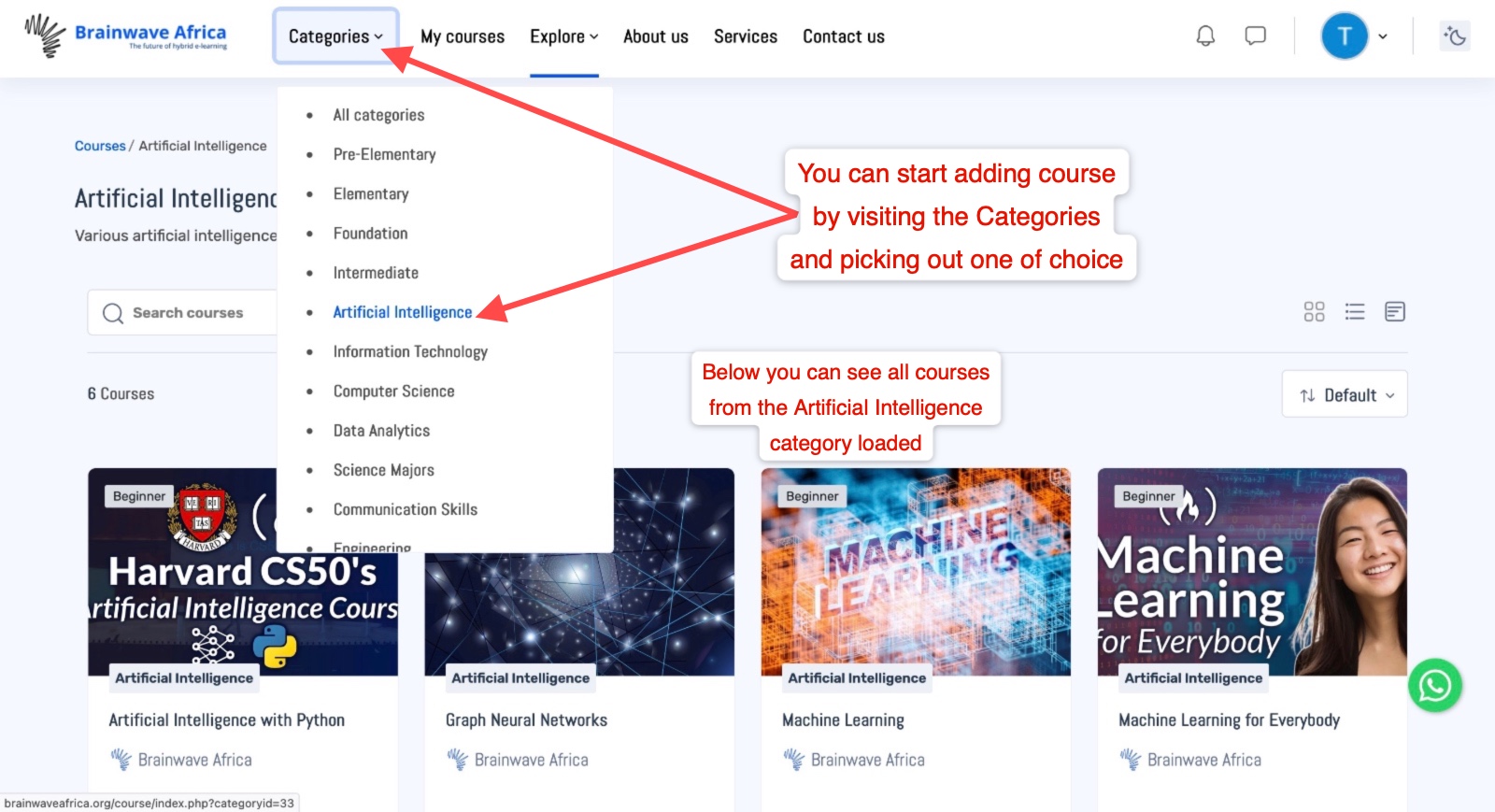
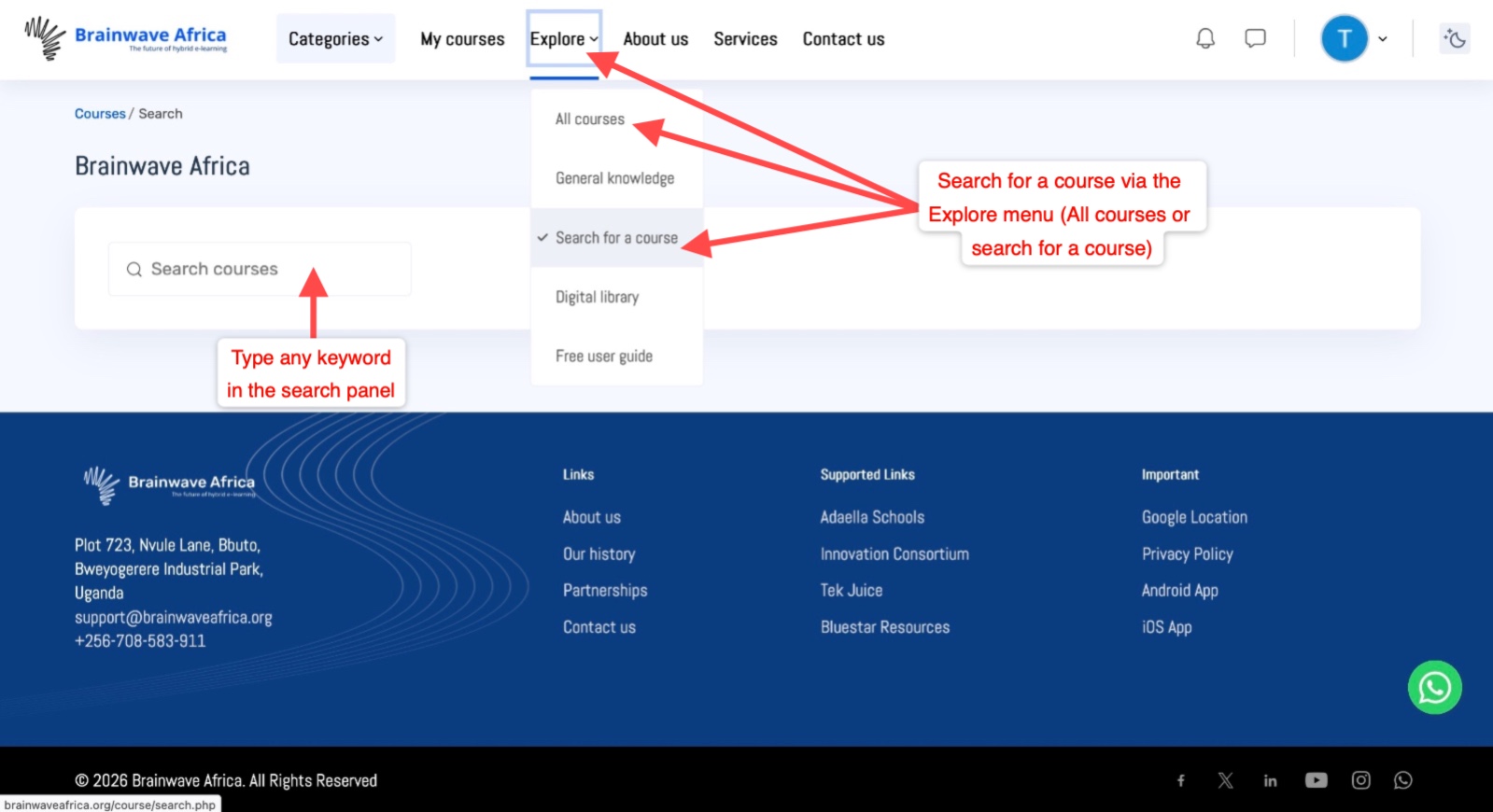
- You can enrol into a course of choice via various routes, you could search for a course via the course categories menu, explore and select search all courses to review which one suits you or simply enter a keyword in the Search for a course. See illustrations below for reference.
|
Default page once successfully logged in |
|
Enrolling in a course via the Categories menu |
|
Enrolling in a course via the Explore menu options |
|
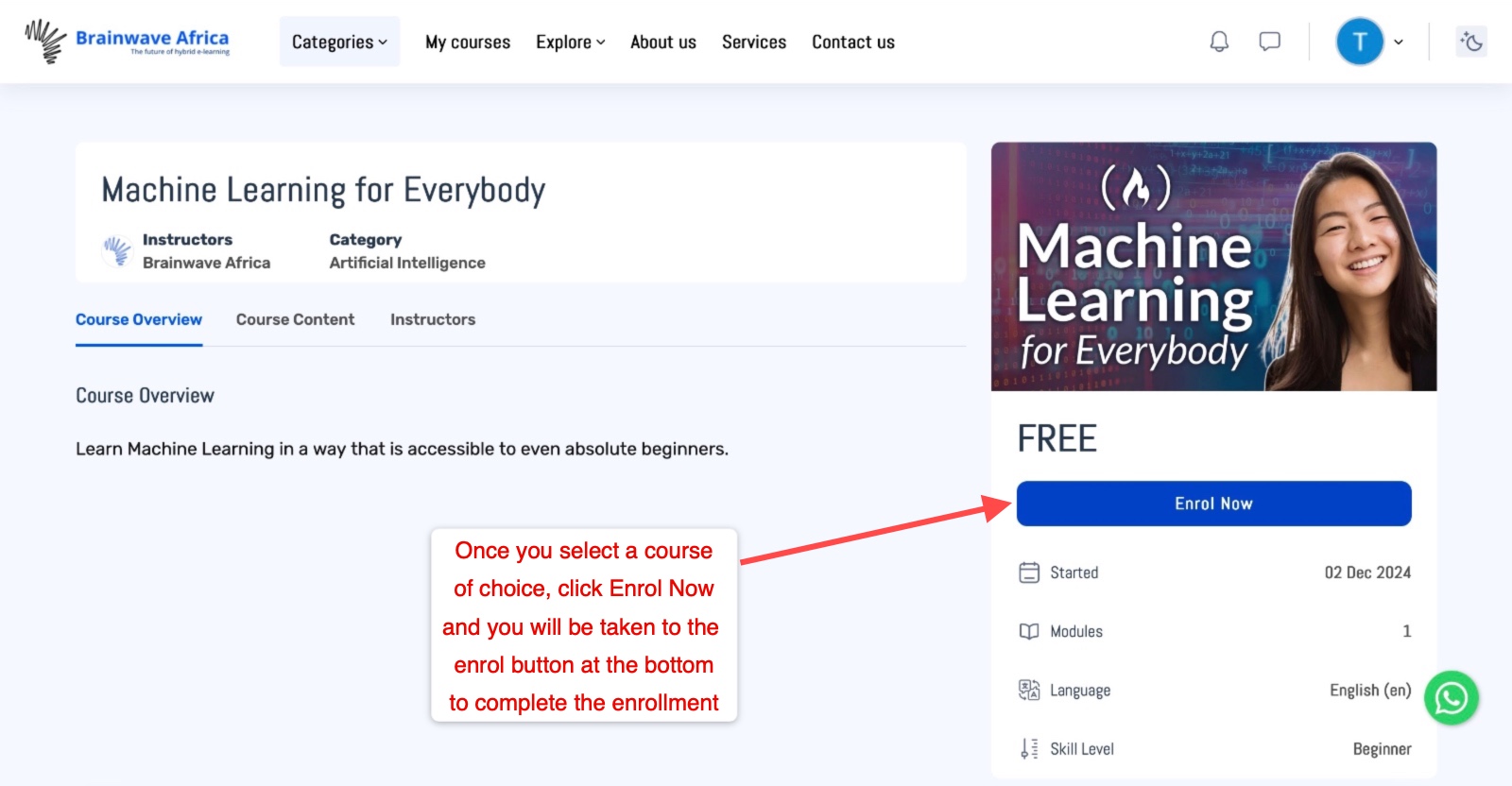
Enrolling in a course after reviewing it |
|
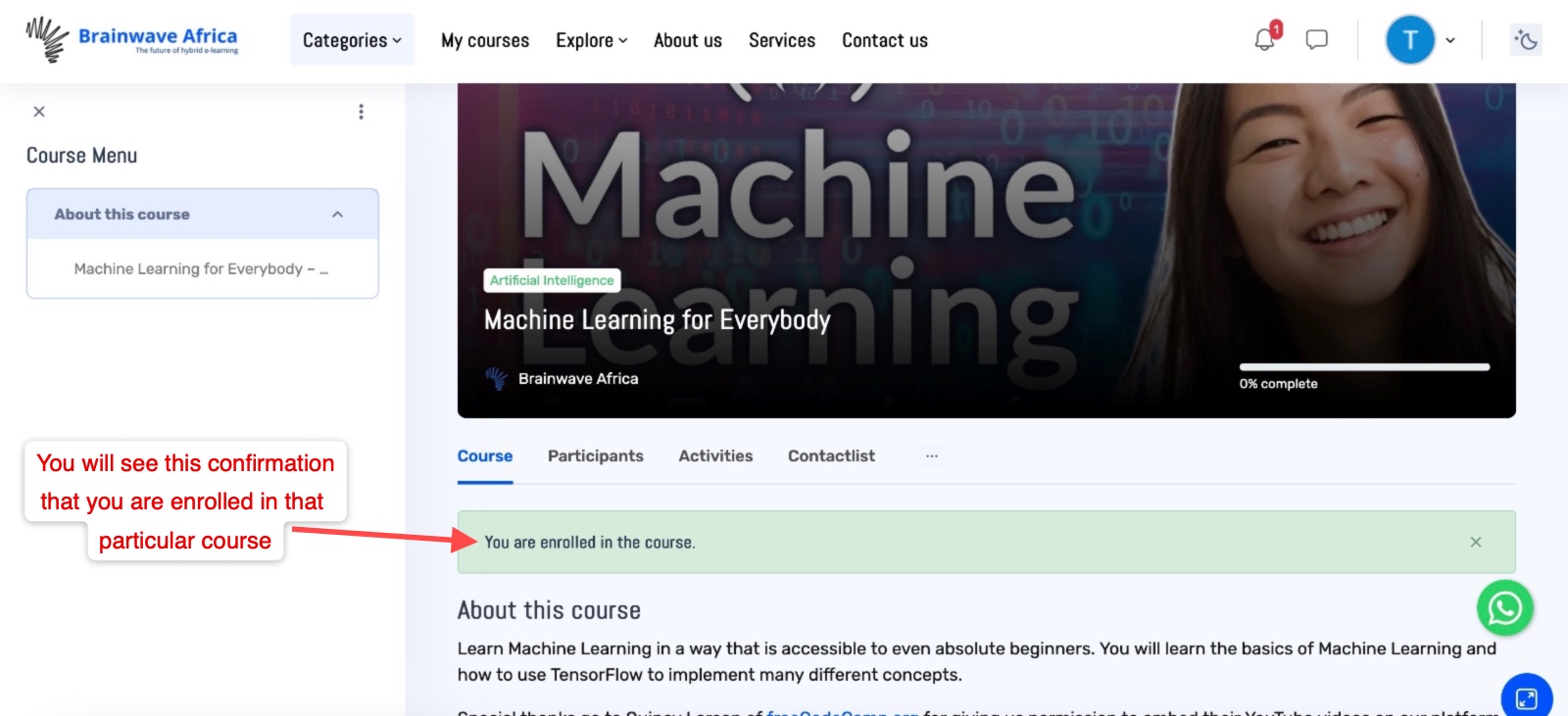
Successfully enrolled in a course of choice |
|
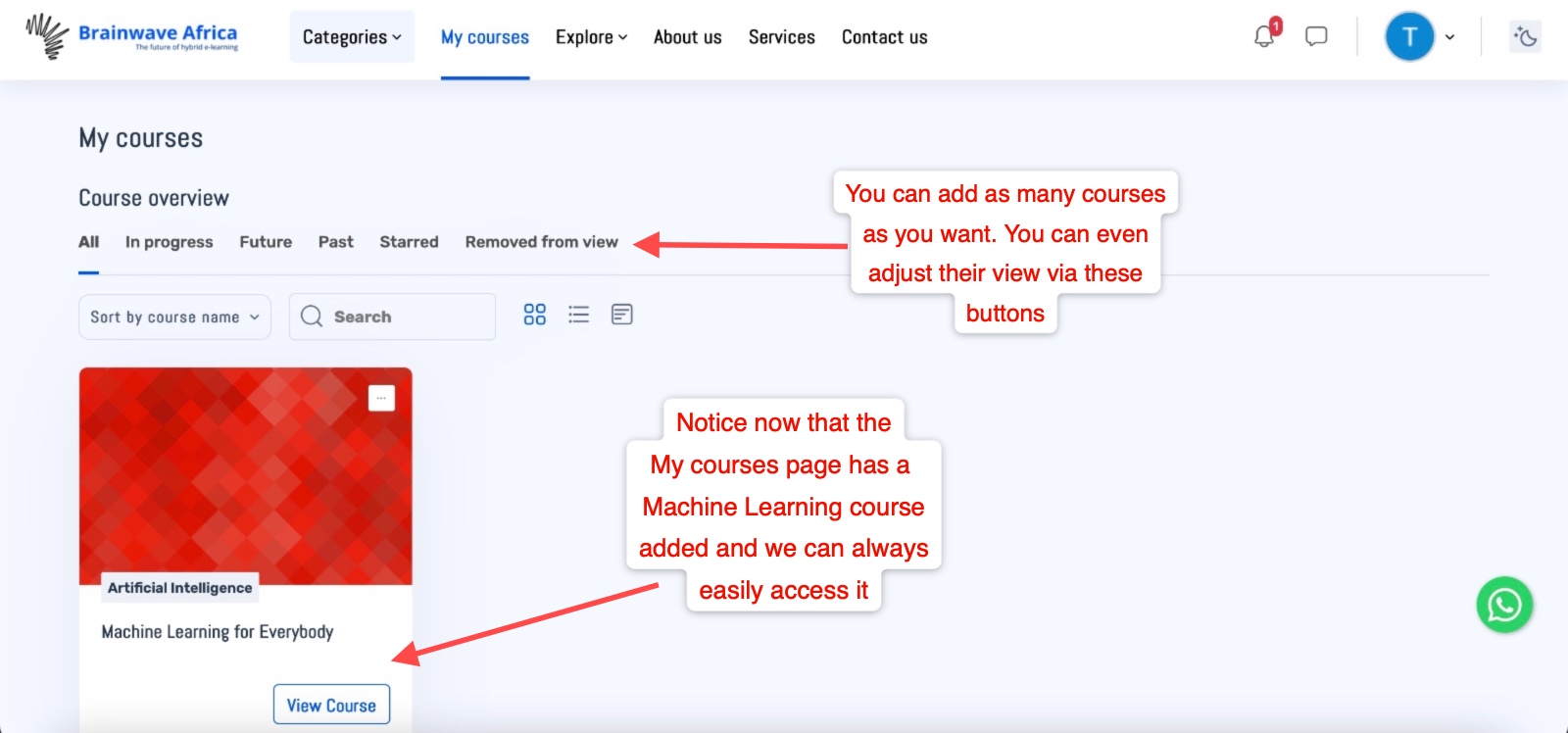
Enrolled course(s) interface in My courses |