

Account creation or registration
Option 1: Manual account creation (Standard)
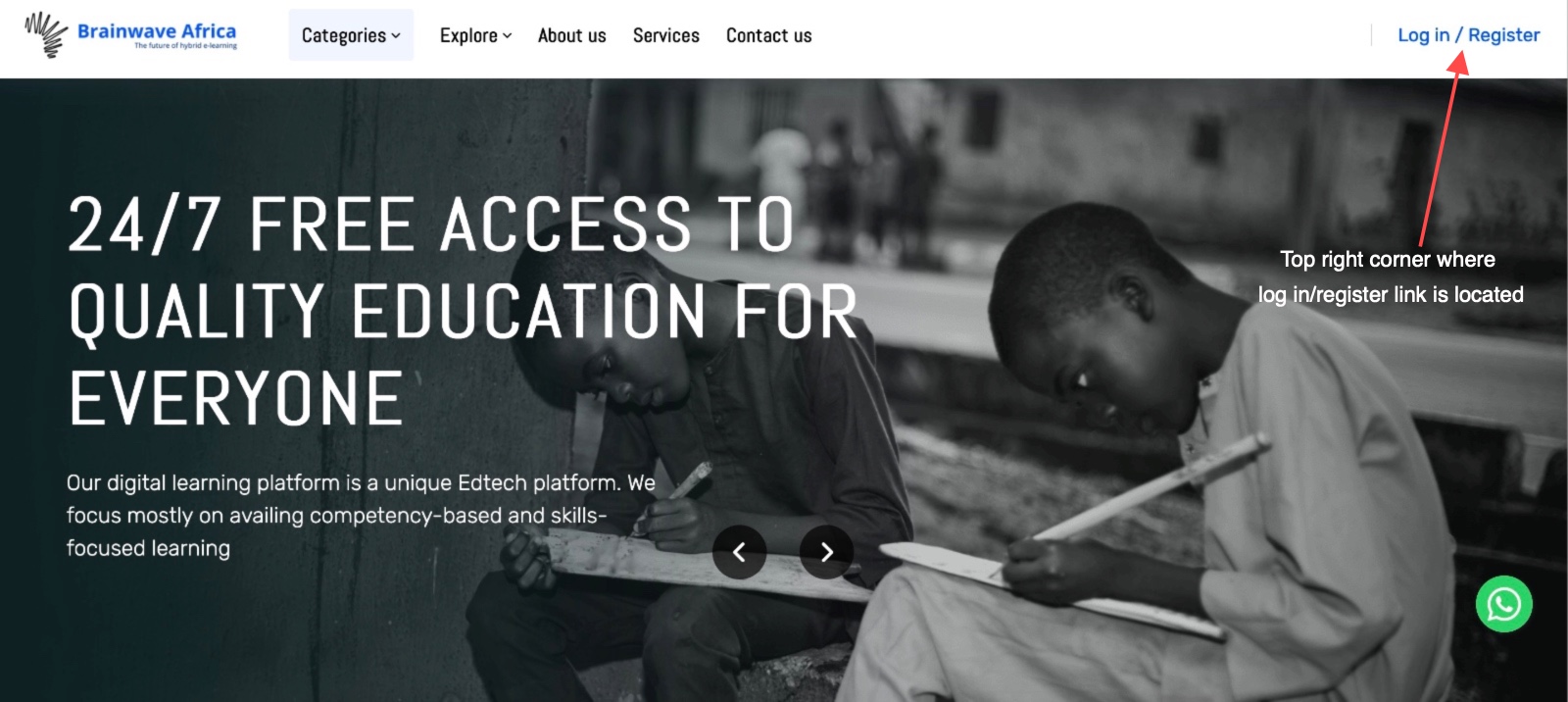
- Visit the official learning portal at https://brainwaveafrica.org via your preferred internet browser of choice. We recommend any modern browser that is up-to-date, that includes Mozilla Firefox, Google Chrome, Microsoft Edge, Apple Safari, Brave etc.
- Head over to the top right corner of the landing page or the home page and locate Log in / Register and click to proceed.
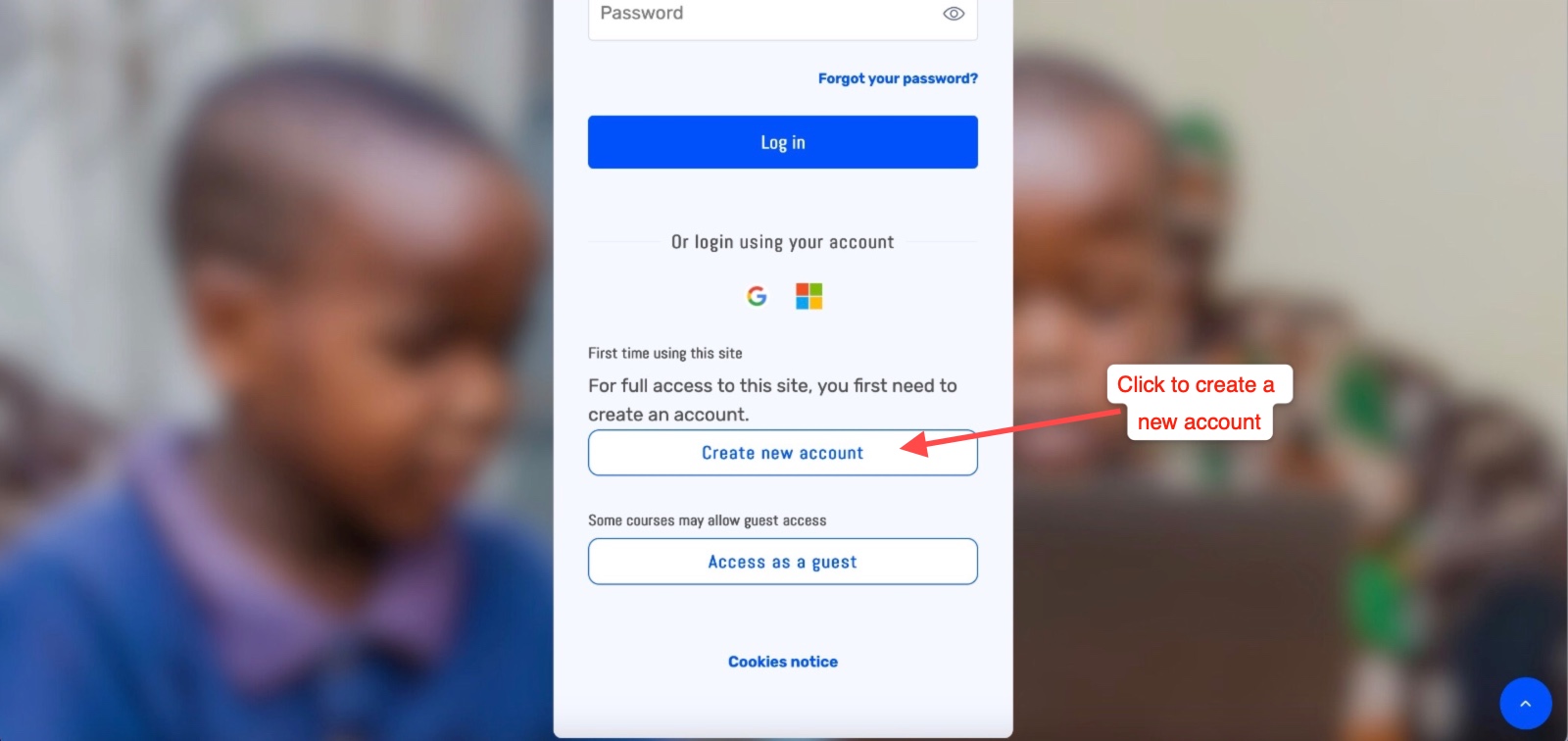
- You should be taken to a new page that says Hi, Welcome to Brainwave Africa. Just scroll down and look for Create new account and click to proceed.
- A couple of user privacy and terms of service pages will load that you need to agree to then proceed as per the instructions. Once done you should be able to see your new account creation forms where you will input your details and the click on Create my new account and your account is ready for use going forward.
- Note: Please always remember to read the instructions carefully especially when it comes to creating your account password as it comes with specific requirements.
Illustrations:
|
Default landing page of the learning platform |
|
Creating an account manually using the inbuilt form |
Option 2: Automated login with an existing email or social media provider
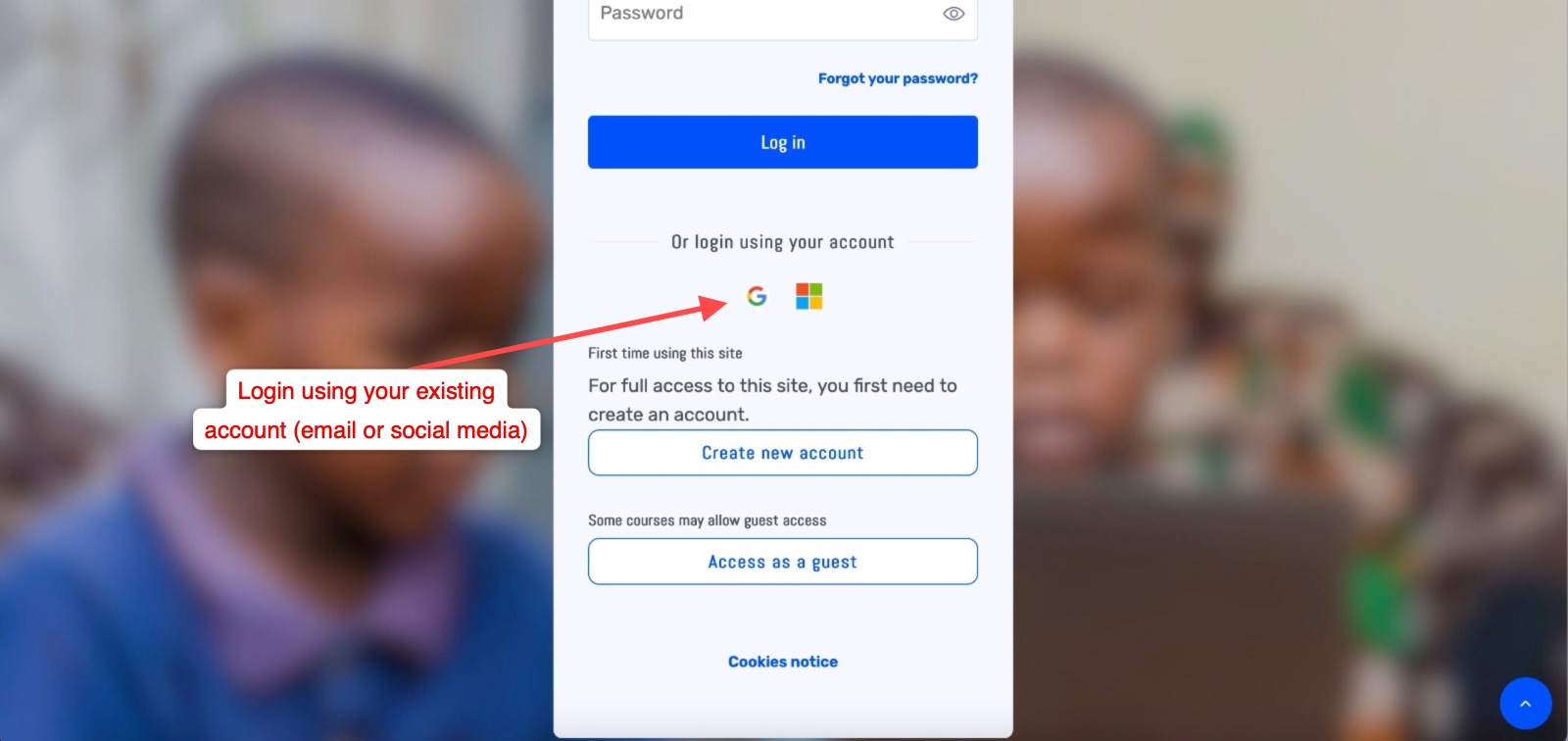
- With this method, simply visit this link and it will take you straight to the general login page where you can proceed with logging in with one of your existing email or social media accounts.
- Simply click on one of the account provider icons of choice to proceed.
- With this method, you won't need to create a new password or any specific user details. The account you login in with will take care of all that and hence you can always login with that email or social media account's details.
- Note: A confirmation email is always sent to the default account email address of that provider, make sure you check your inbox to confirm your registration by clicking a confirmation link otherwise you won't be able to login until you have done so.
- A couple of user privacy and terms of service pages will load that you need to agree to then proceed as per the instructions. Once done your account is ready for use going forward.
|
Account creation using Oauth to login using an existing email or social media account |
|
|
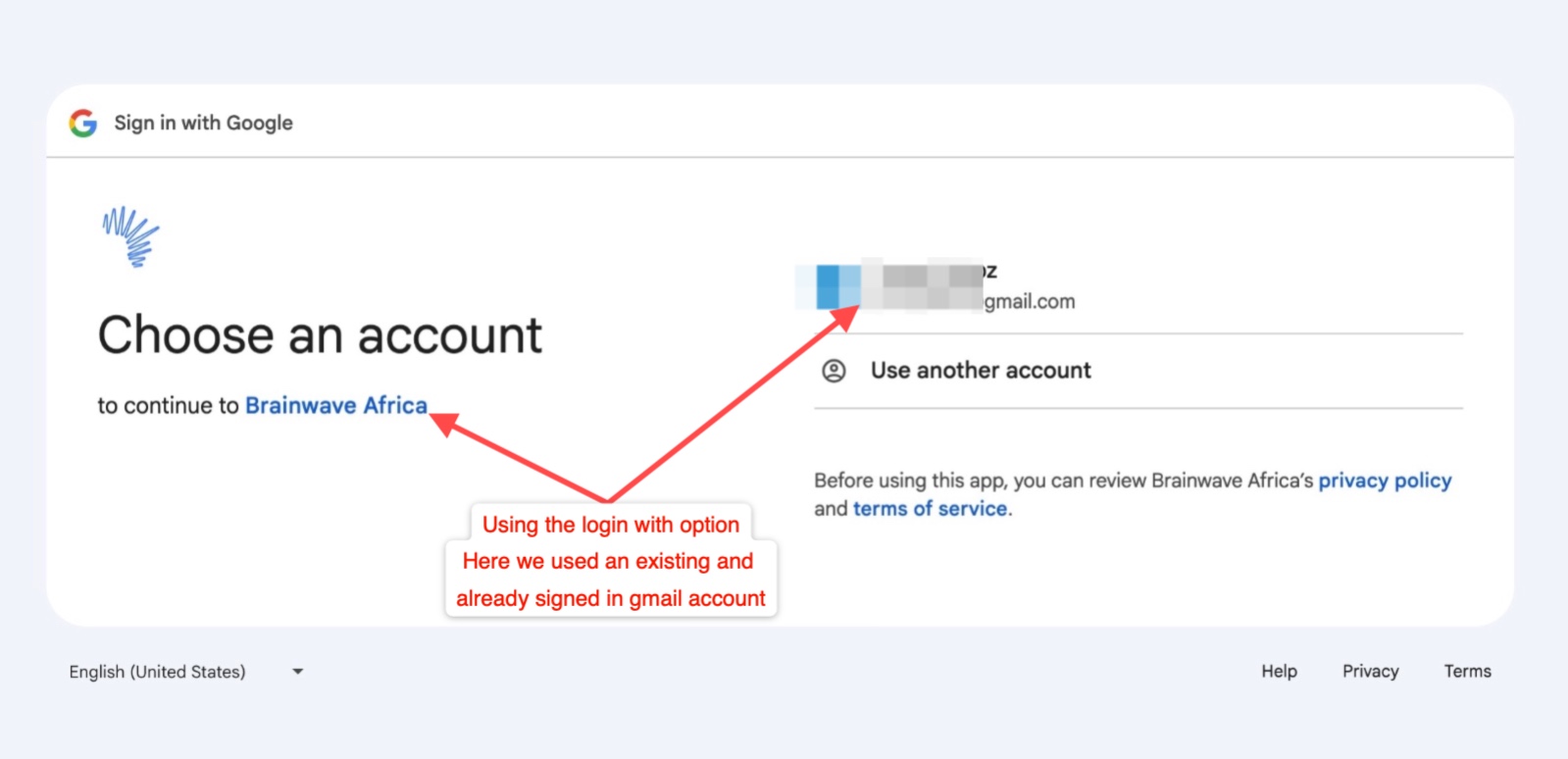
Creating an account using an existing gmail account
|
Logging in with gmail will require you to confirm a few extra steps |
|
You will receive a confirmation email with a link to confirm your registration
|
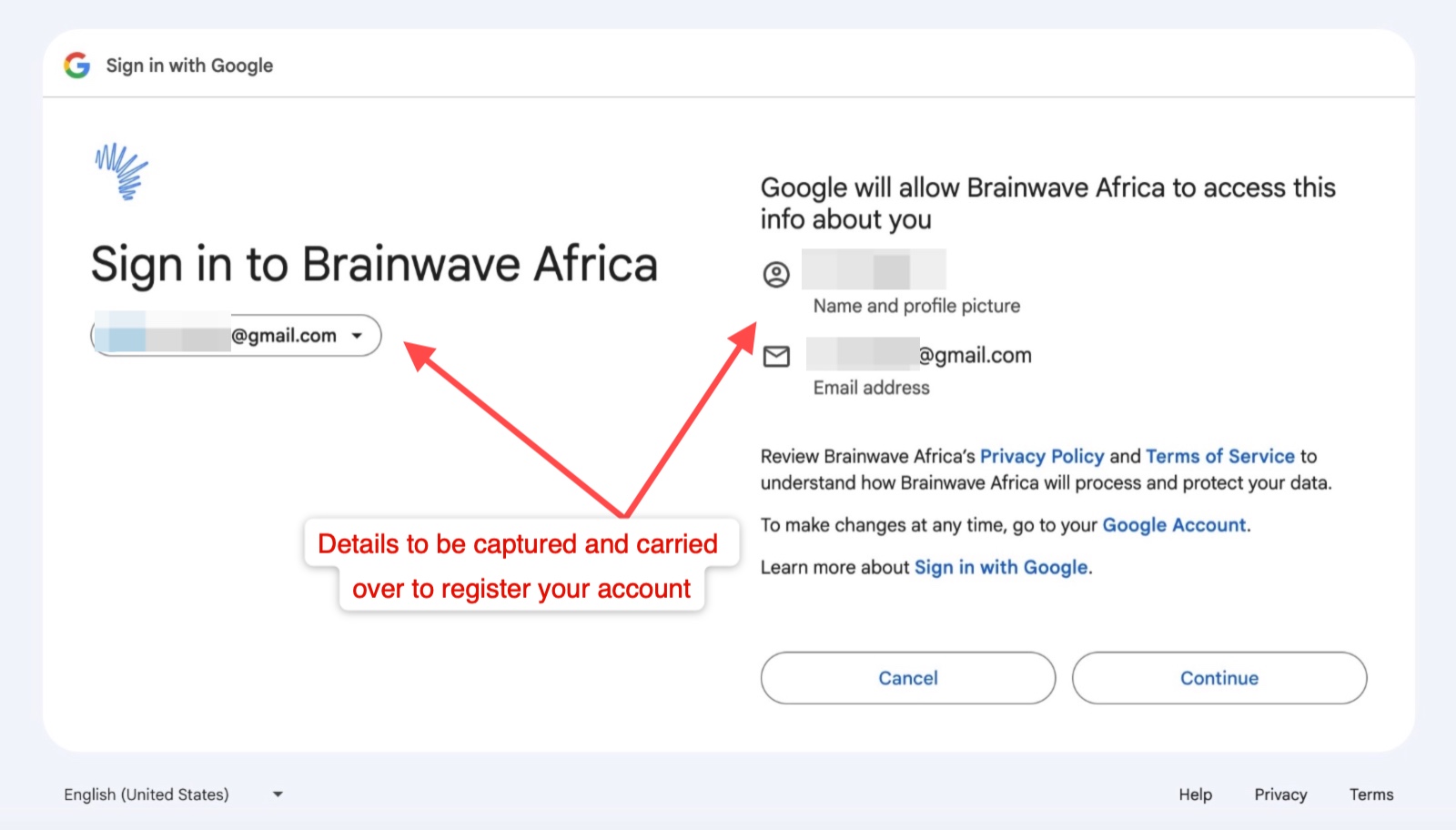
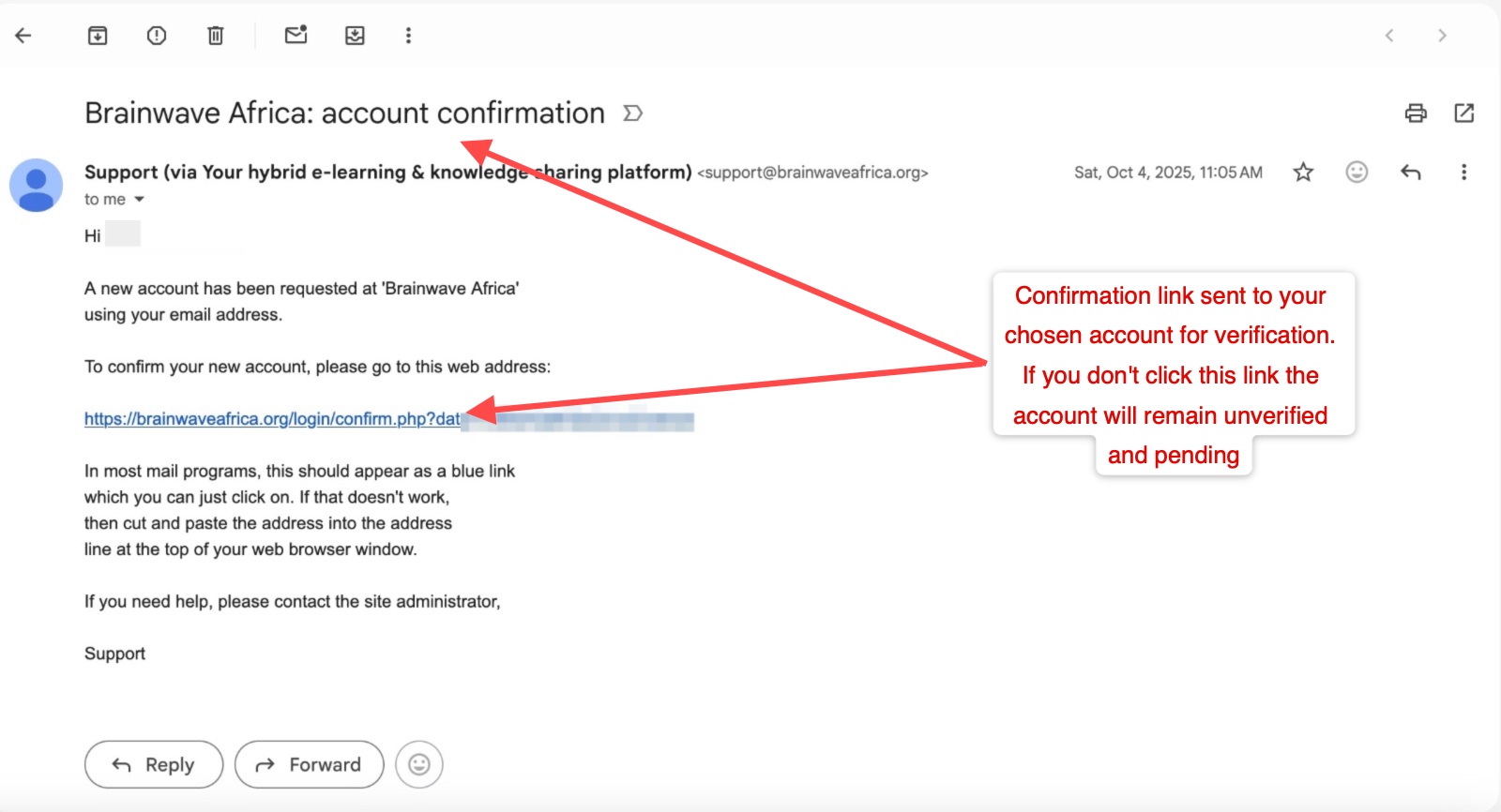
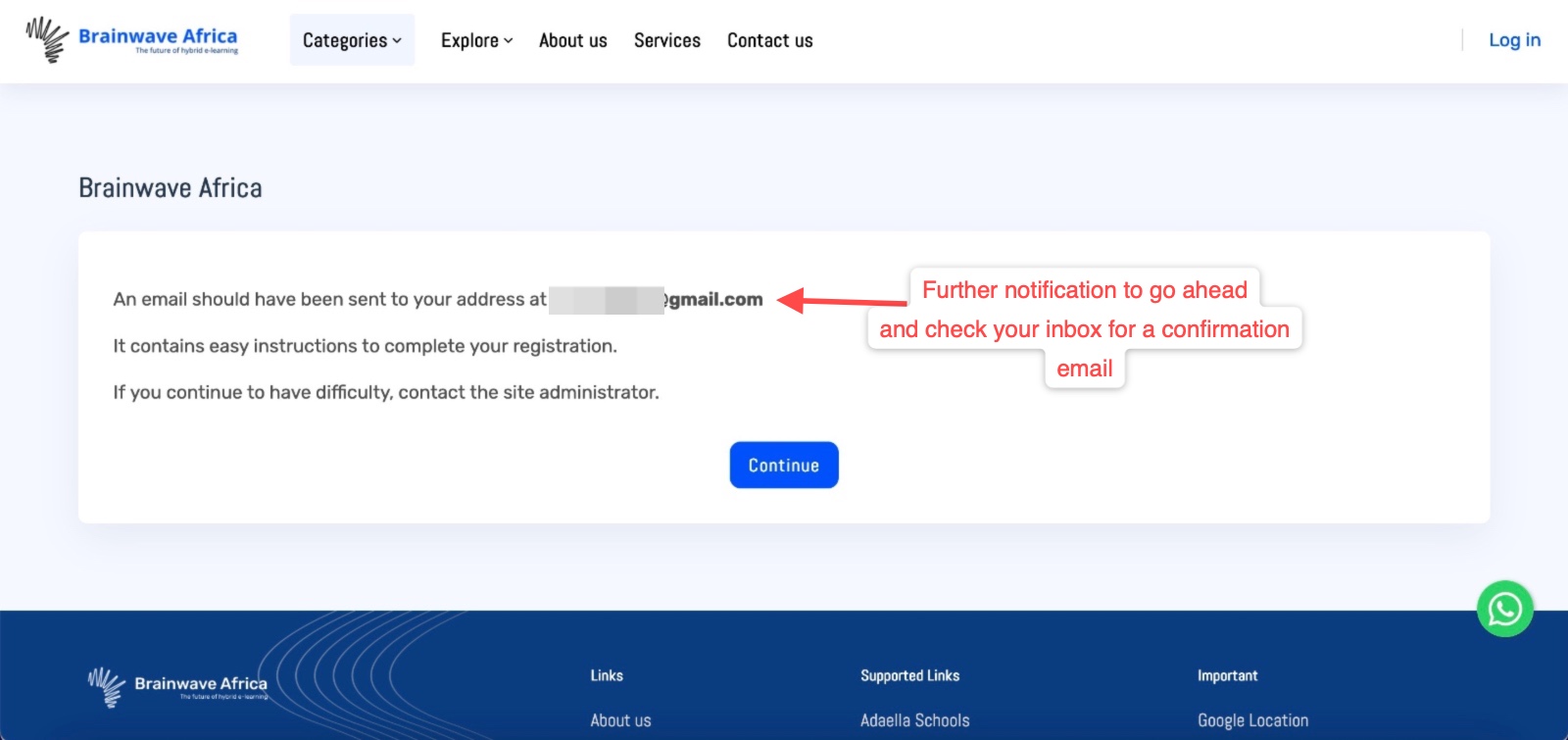 Once at this stage, your account is almost done. Simply visit the link in your inbox to confirm the registration
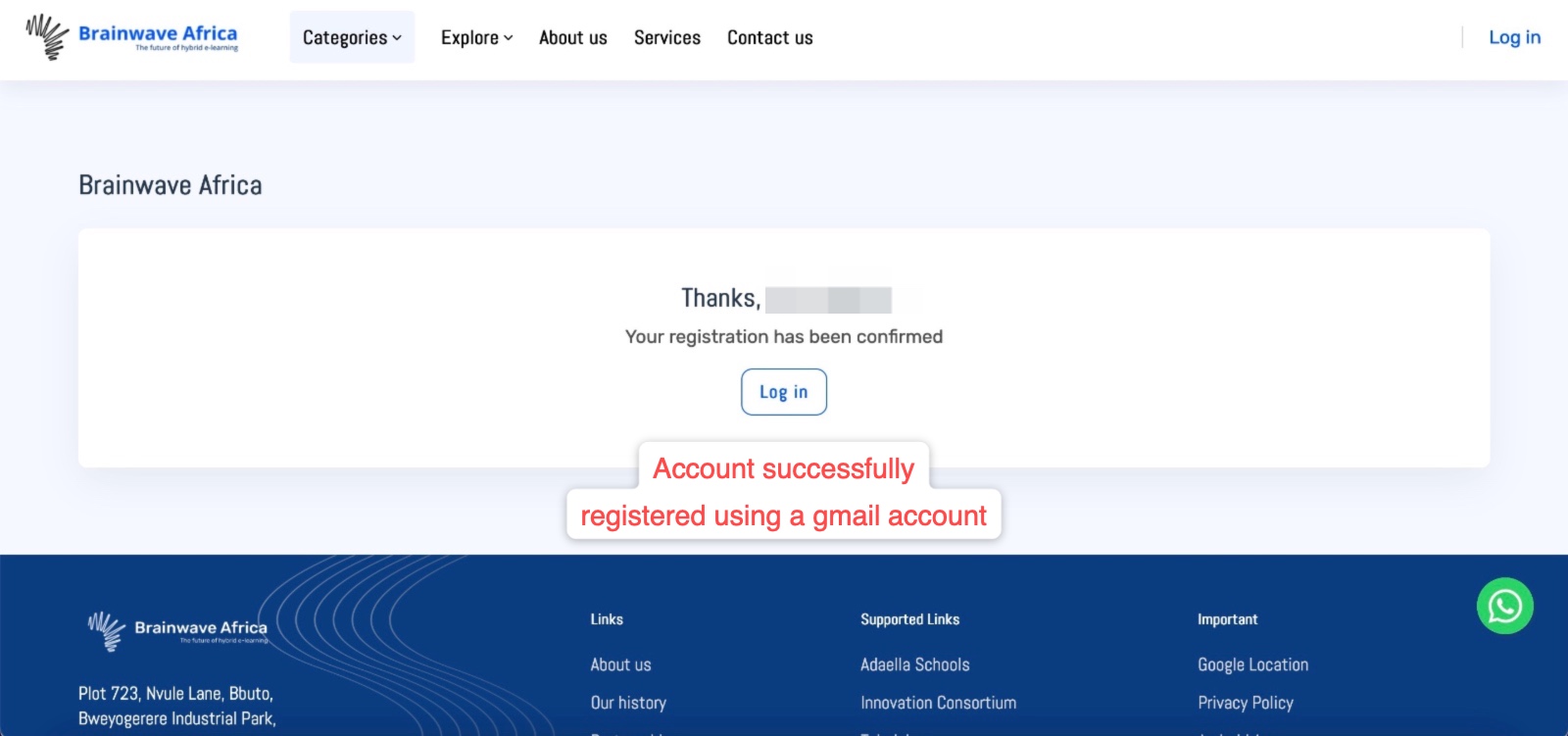 Once the link in your inbox is clicked on, this is the kind of confirmation page you will see
 Option 3: Direct request (Bulk accounts)
- Reach out to us via our official contact channels with the full names, email addresses of choice and mobile numbers of the individuals you would like their accounts to be created in bulk and our team will proceed with helping you create them instantly. Please note that we might need to engage you further if you use this alternative.
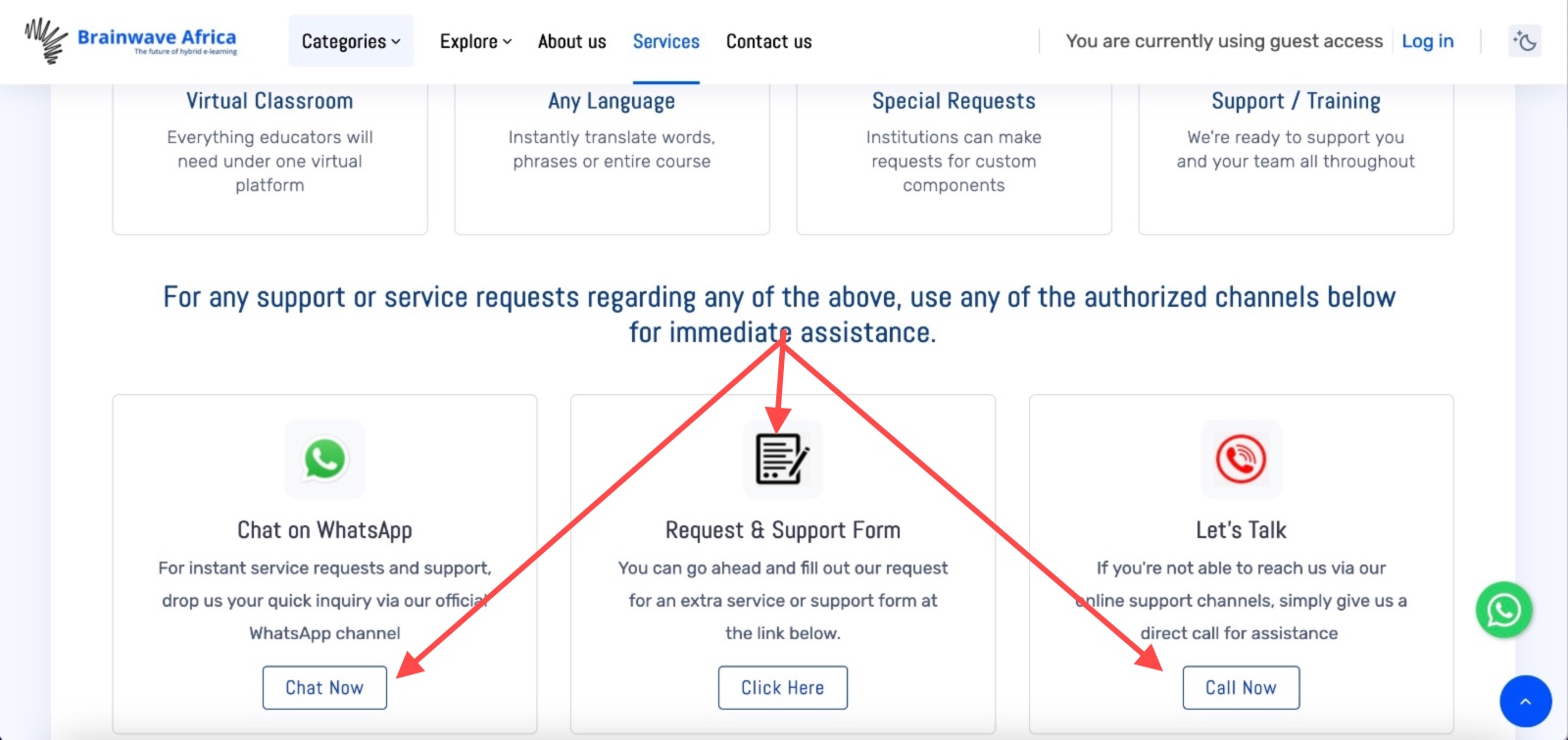
Request options if you need bulk accounts created for your institution or group
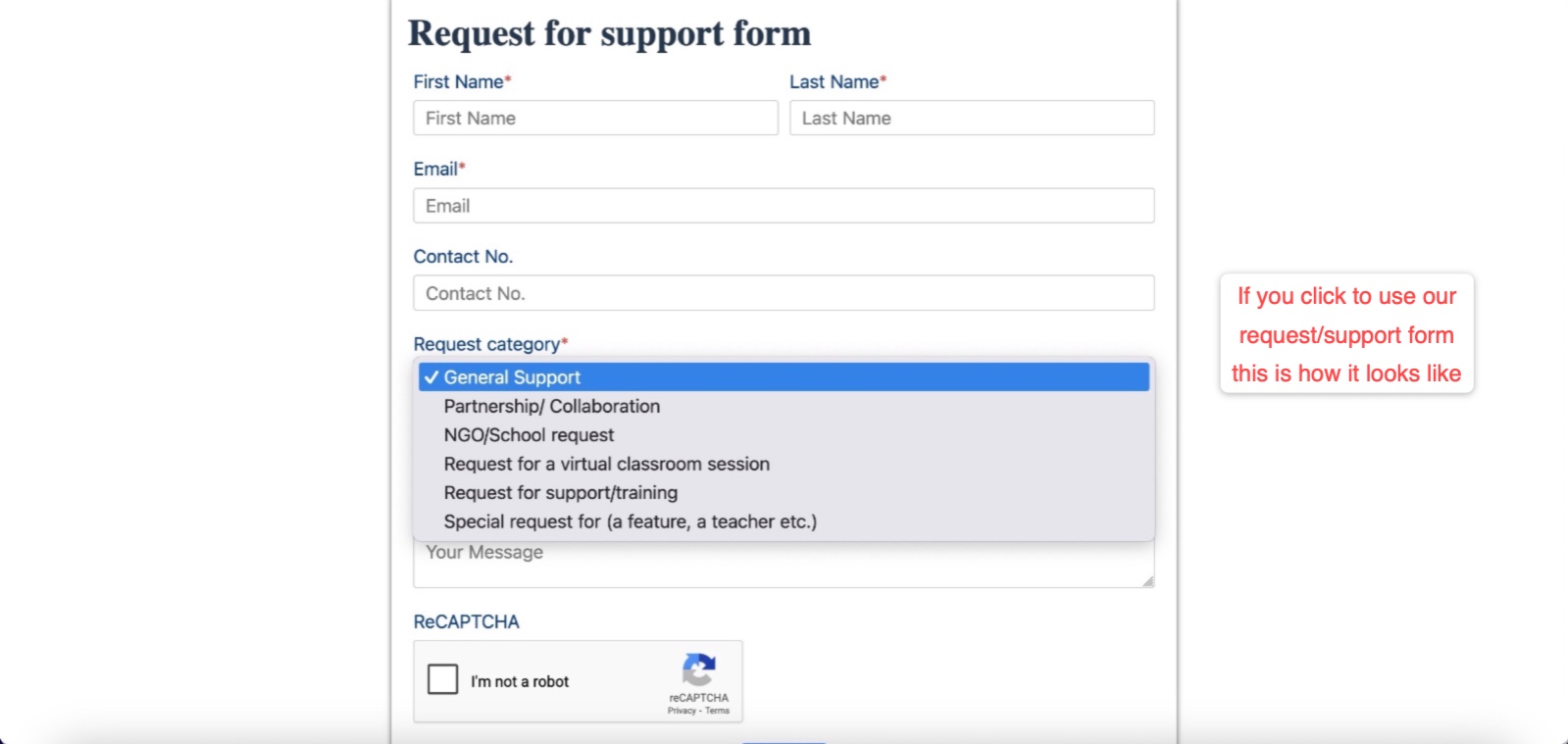
This is how the request form looks like if you use the support form